



September was crunch time: keeping up with Gmail and with email in general, lots of updates to Sendra, and lots of feedback from people using it, which is amazing.
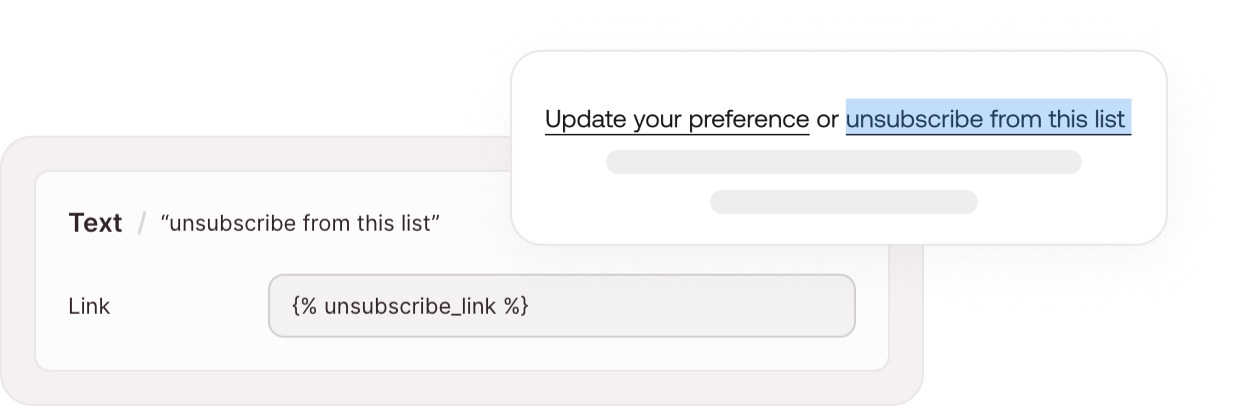
My favorite is linking a single word. Figma's own link field won't take a merge tag, so Sendra does it: select any word in a paragraph and give it a link or a merge tag, without a separate text layer. Keeping light mode in the Gmail app is a win too. Not everyone wants Gmail's dark mode on their email, so it's nice to have the choice.
And there's a lot more coming, including team features, smarter UX and performance updates.
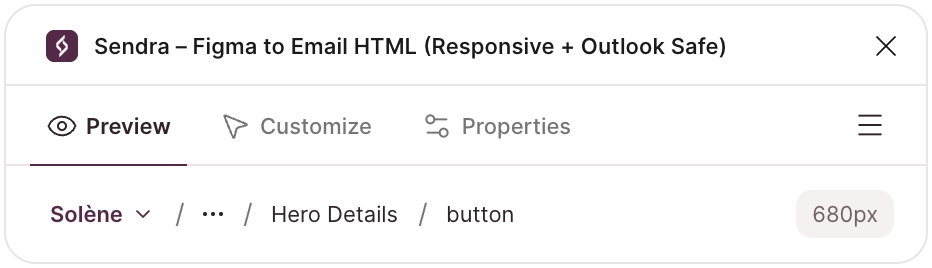
Click anywhere. Sendra finds your email.
Select any layer, even a button deep inside your design, and Sendra works out which frame is the email. A breadcrumb at the top of the window shows the path from your email to the layer you clicked.
A menu on the breadcrumb lets you choose which frame is the email, for files with several emails side by side. Choose once, and Sendra finds each email in that frame on its own from then on. Auto layout frames of any size are accepted.
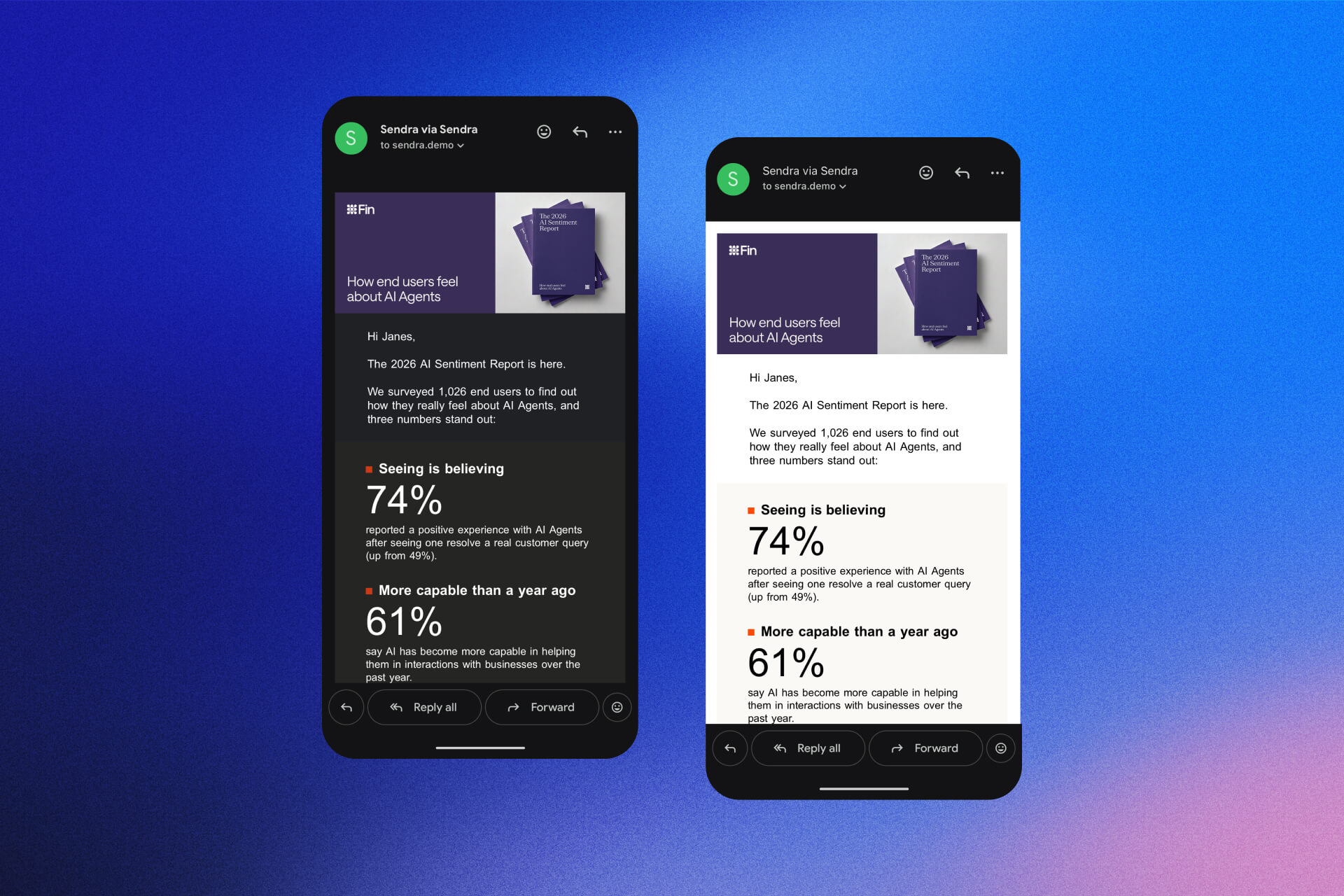
Keep light mode in the Gmail app
Keep your email light in the Gmail app, even when your reader uses dark mode. Turn it on in Properties. Dark colors you set on a layer still show in Apple Mail.
Why Gmail now lets you do this
Merge tags
Put your platform's tags where the content goes and Sendra passes them through untouched. Tags work in text, links and image addresses. Works with Klaviyo, Mailchimp, HubSpot and any tool that uses {{ }}, {% %} or *| |*.
Personalization and merge tags
Link a single word
Highlight a word in Figma and Sendra gives it its own link field, so "click here to unsubscribe" keeps its sentence and gets the right tag. Links already in your text show up in the card, ready to edit.
Set your email's language
Tell screen readers and email clients what language your email is written in. Choose from 27 languages in Properties.
A roomier window, and Preview first
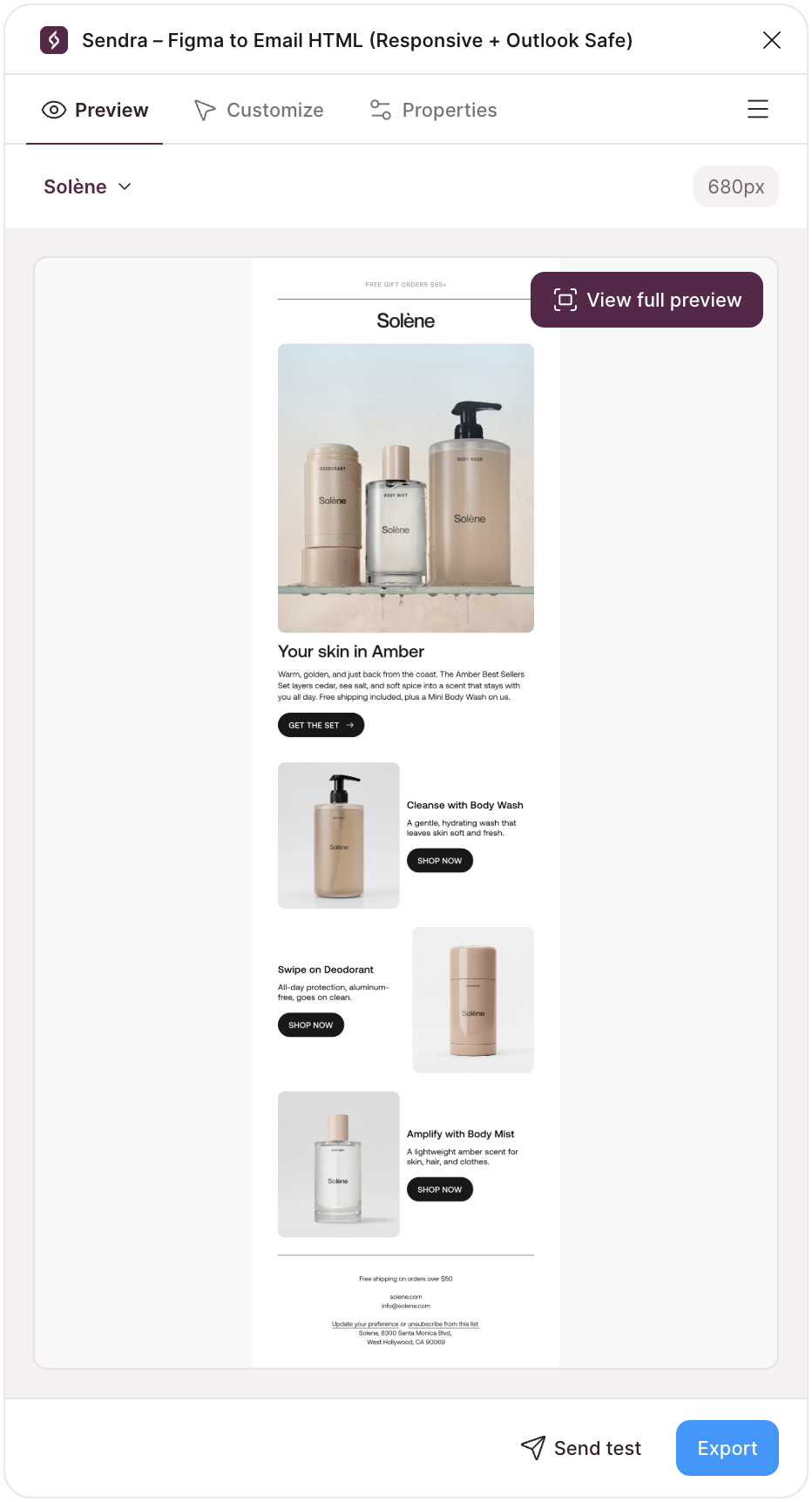
The plugin window is wider, with more room for your settings and previews, and a new welcome screen shows you what to select to get started. Preview is now the first tab. Open Sendra on an email and see it right away, with Customize and Properties beside it.
Also in September
- Preview at any width, with the exact number as you drag
- Mobile preview matches a real phone at 360px
- A new Help Center, with guides for Klaviyo and Mailchimp
- General bug fixes and improvements
Every change is on the changelog.


