



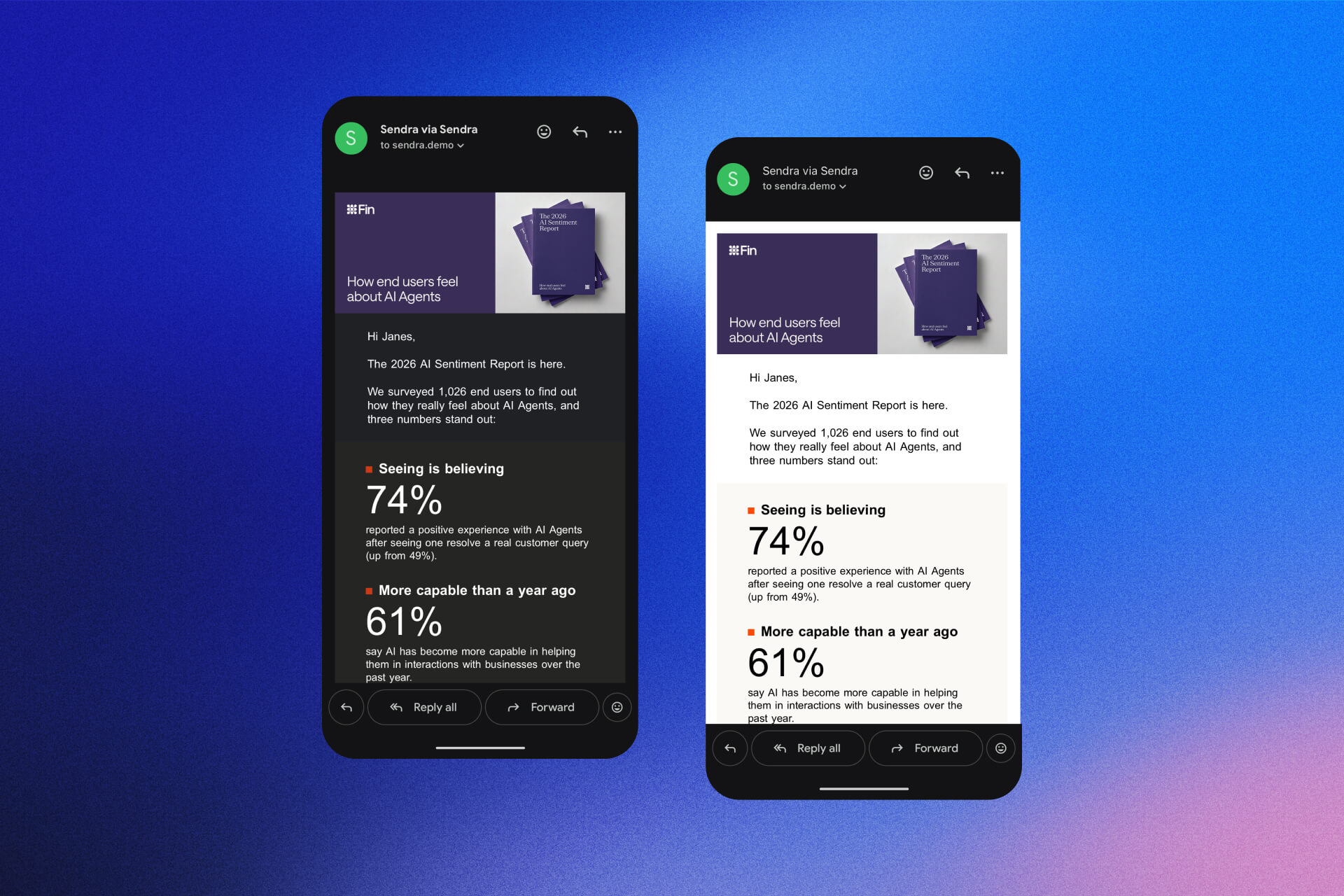
If you design emails, you know this one. You get every color right, then someone opens your email in the Gmail app with dark mode on, and Gmail changes your colors. Backgrounds go dark, text goes light, and a logo or a button can end up hard to see.
Developers asked Google to fix this back in 2021, in a public bug report about the Gmail app on iPhone and Android. Almost five years later, Google closed it.
What Google confirmed
On August 31, Google marked the bug as fixed and said the fix was rolling out in an upcoming release. On September 11, they explained what the fix is:
"Gmail now supports setting the light theme for emails via a meta tag."
Here's the tag. It goes in the head of your email:
<meta name="color-scheme" content="light only" />Google also said a media query won't do it. It has to be this tag. And when someone asked if this means the email stays out of dark mode, Google said yes, you can choose to keep your email in light mode only.
It's all in the thread on Google's issue tracker if you want to read it yourself.
What it does, and what it doesn't
It tells the Gmail app to leave your colors alone when the reader is in dark mode. Your email shows up the way you designed it.
It doesn't give you a custom dark mode in Gmail. Gmail's own list of supported CSS still doesn't include the dark mode media query, so you can't design a dark version for Gmail. You get your light design, or Gmail's dark mode. Nothing in between.
It doesn't touch Outlook either. None of the Outlook versions Can I Email tested reads this tag.
Apple Mail is different. It leaves most designed emails alone in dark mode, so there's usually nothing to fix there. Litmus lists it among the apps that don't change your colors.
And it's rolling out, so your readers need an updated Gmail app to see it.
Should you use it?
It depends on the email. I'd turn it on when:
- your brand colors have to stay exactly right
- your logo or images are made for a light background
- dark mode makes your buttons or text hard to read
I'd leave it off when you'd rather respect the reader's setting. Some people turn on dark mode because bright screens bother them. With light only, they get your bright email anyway.
How to add it
If you code your emails, paste the tag inside the head, next to your other meta tags.
Some email platforms rewrite the head of your HTML when you import it. After you import, check the tag is still there.
In Sendra, select your email, open the Properties tab and turn on Keep light mode in the Dark mode card. Sendra adds the tag for you, in every export.
Want a dark version for Apple Mail too? Select a layer, and in the Customize tab turn on Override colors in dark mode. With both on, Apple Mail shows your dark colors and the Gmail app keeps your light design.
Short version
Put <meta name="color-scheme" content="light only" /> in the head of your email, and the Gmail app keeps it light in dark mode.


