



Short answer: not the whole email. Photos, icons and graphics can be images. Your text, your links and your buttons should be real text.
I've never sent an email as one big image, or cut one into slices. Every email I've designed was built with proper HTML and CSS. Usually I design it in Figma and hand it off to a developer to build. The only things saved as images were the things that should be images: photos, icons, decorative elements and complex graphics.
Why people send emails as images
A lot of designers and marketers don't know much about email code, or about accessibility, or what you give up when you send an image instead of real HTML. So they go with what's easy. Export the design, send it as an image, the reader opens it, reads it, and boom, the message is across.
It's fast, it's easy, and it doesn't cost anything in development. I get it. But a lot can go wrong.
What goes wrong
Some people don't see it. Classic Outlook on Windows doesn't download pictures until the reader clicks to download them. That's an extra step just to see your email. Some companies also lock down their inboxes for security, so images don't load at all. If your whole email is an image, those people get empty boxes, or just your alt text.
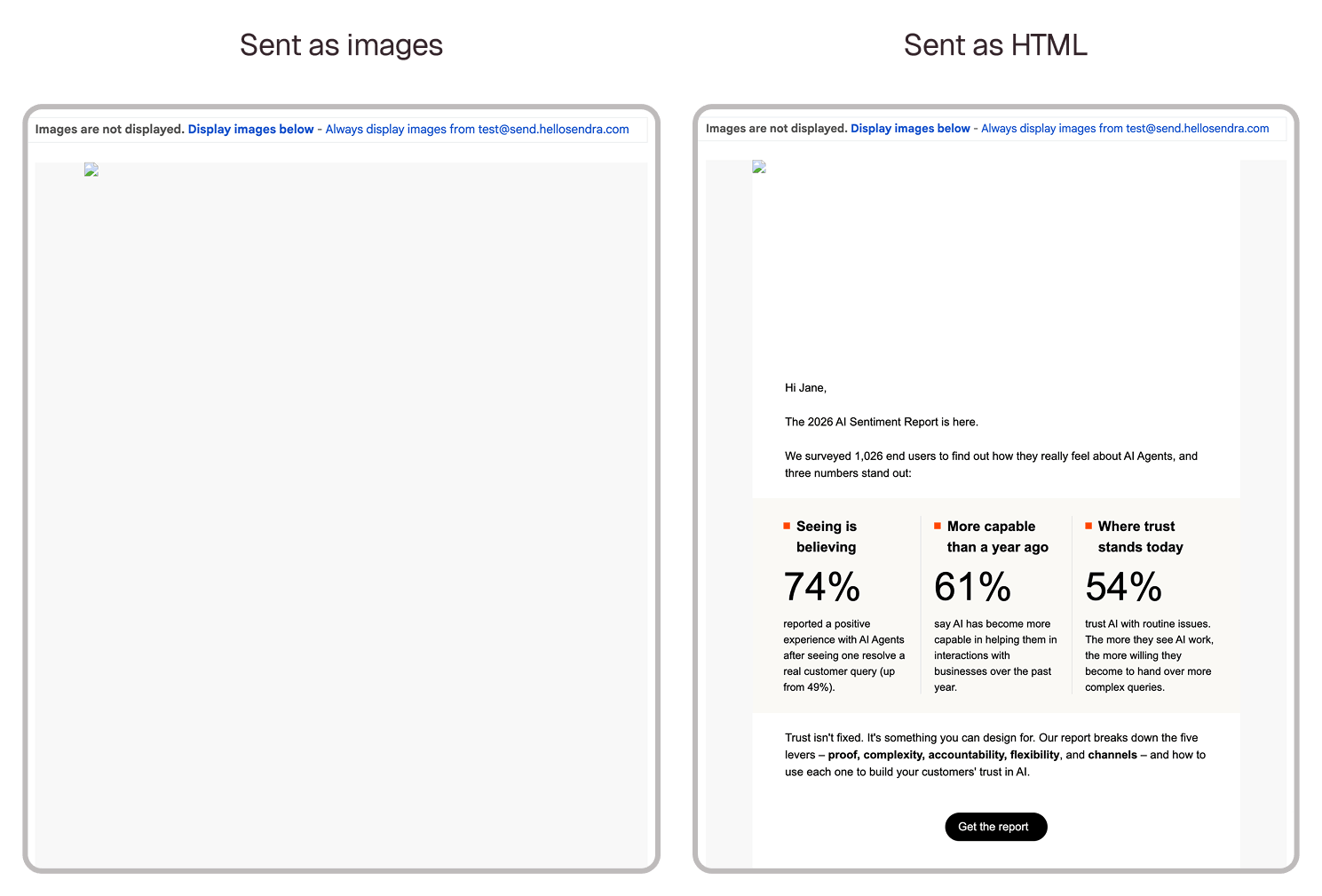
Screen readers can't read it. A screen reader reads an image's alt text, not the words inside it. So unless all of your text is in the alt text, people using one miss your email.
You can't select the text. Nobody can copy a promo code or an address out of an image.
Links are limited. You can put a link on the whole image, but you can't link one word in a paragraph, right?
It's heavy. Images take longer to load than text, especially on your phone when you're reading on the bus and the connection is bad. And if the image is embedded in the email's code instead of linked from a web address, the email gets even heavier, and Gmail doesn't show it at all.
It can look blurry. If the image isn't exported for today's high resolution screens, it looks soft on a phone. That's why I export images at 2x. And the text in it shrinks with the image. Text that's 16 pixels in a 600 pixel image ends up around 10 pixels on a phone.
Dark mode doesn't touch it. Images don't get inverted. Your live text can adapt to dark mode. Text inside an image can't.
Slices can show lines. If you cut the design into slices, Apple Mail can show thin white lines between them. There's a whole thread about it in the Klaviyo Community.
Spam is a maybe. Could an image email land in spam? It could. But nobody publishes the rule. Gmail and Yahoo don't give a text-to-image rule in their sender guidelines, and the email tools don't agree with each other. Klaviyo says keep your email under 60% images. Mailchimp says 80/20 on one page and 60/40 on another. What they all agree on is that an email that's only images is a risk.
When an image is the right call
Of course you can use images. Images are supposed to be images: photography, people, speakers, products, icons and decorative elements. And complex graphics too, with a lot of overlays and text mixed into the artwork, the kind of thing that's impossible or really hard to build in email HTML. Those can be images.
My rule: if it's important, it's live text. The main message, the details people need, addresses, links and buttons. Anything a screen reader needs to read out.
And give every image alt text. It's what shows when images are off, and it's what a screen reader reads out. Leave it empty on purely decorative stuff, so screen readers skip it.
What I tell clients
When a client says just send it as an image, it always looks right, I walk them through it. Some people won't see it, because their email app or their company blocks images, or they have to download them first. People using a screen reader can't read it. It can look blurry or pixelated on some screens. It's heavy, so it takes a while to load on the go. And it could hurt your chances of landing in the inbox.
If you've been slicing for years
I get it. You're used to it. Design it, slice it, send it.
With Sendra you design it the same way. Then you open Sendra, and in a few clicks you have real HTML. Live text, no slicing. It actually takes less time than slicing it. Sendra does all the heavy work: the code, the images, everything.
If a section needs to be an image, select that frame and turn on Export as image in the Customize tab. That part exports as one picture, exactly as designed, and the rest stays live text. You can add its alt text right there too.
So within a few seconds you have a properly built email that screen readers can read, ready to send. Here's the whole workflow, from Figma to the inbox.
So, is it OK?
Not for the whole email. Use images for photos, icons and graphics that can't be built in HTML, give them alt text, and keep your text, links and buttons as real text.


